
sudo invoke-rc.d alsa-utils restart


sudo gedit / etc / apt / sources.list
universe multiverse deb-src http://archive.ubuntu.com/ubuntu intrepid
sudo apt-get update & & sudo apt-get install mplayer
sudo apt-get install smplayer smplayer-themesInstall codecs w32codecs from non-free-codecs medibuntu
http://www.medibuntu.org/sources.list.d/intrepid.list sudo wget - output-document = / etc / apt / sources.list.d / medibuntu.list
sudo apt-get update & & sudo apt-get install medibuntu-keyring & & sudo apt-get update
sudo apt-get install non-free-codecs w32codecsshould work without problems ... how it worked for me:)


lsusbEcco l'output del mio lsusb:
Bus 005 Device 001: ID 1d6b:0001 Linux Foundation 1.1 root hubInstallation: Download the script from
Bus 004 Device 001: ID 1d6b:0001 Linux Foundation 1.1 root hub
Bus 003 Device 001: ID 1d6b:0001 Linux Foundation 1.1 root hub
Bus 002 Device 002: ID 15d9:0a33
Bus 002 Device 001: ID 1d6b:0001 Linux Foundation 1.1 root hub
Bus 001 Device 006: ID 5986:0203 Acer, Inc
Bus 001 Device 005: ID 0bda:0158 Realtek Corp. Mass Stroage Device
Bus 001 Device 003: ID 1058:0702 Western Digital Technologies, Inc. Passport External HDD
Bus 001 Device 001: ID 1d6b:0002 Linux Foundation 2.0 root hub
cd ~ / Desktop sudo chmod + x
installa_webcam_wind.sh
sudo. / Installa_webcam_wind.sh
After running the script will need to restart your computer and enable the webcam pressing FN + F6 . To test the functionality of the driver board to take a picture through the program cheese, downloadable typing from terminal resistor:
atp-get install cheesecredits all go to the author of the script Henry Blacks.
Via
mplayer tv: / / - tv driver = v4l2: width = 640: height = 480: fps = 25: device = / dev/video0-vo x11

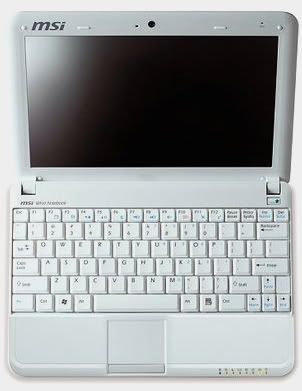
conrad @ notebook: ~ $ uname-r 2.6.27-9-genericHere's my partition table: a
32.3 kB 4195MB 4195MB 4195MB primary fat32 2
46.1 GB 41.9 GB primary ntfs boot 3
46.1 GB 65.5 GB 112GB 112GB 160GB primary ntfs
4
48.4 GB extended 5 112GB 158GB logical 46.3 GB ext3
6 158GB 160GB 2032MB logical linux-swap
To create partitions for Linux I have had many problems since this laptop comes with a factory already partitioned hard as you may have noticed before: a primary
FAT32 hidden partition recovery ntfs partitionTo make it easy to create partitions for linux, just leave unchanged the partition of the HD and launch ' installing Ubuntu (this is the case in which we strongly advise against using programs like PartitionMagic or some other utility windows management / creation of partitions). If you follow this advice
2 primary system c: \\ (boot) 3
primary ntfs partition data backup

