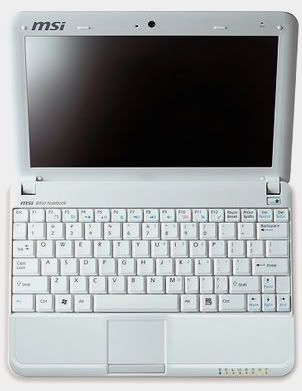
Here's how to configure the webcam notebook MSI Wind U100 with ubuntu 8.10.
The chipset in question is called the webcam ID 5986:0203 Acer, Inc . In
Wind U100 were mounted several models of camera, even if this chipset is the most common finding.
Accertati di avere lo stesso chipset con il comando:
lsusbEcco l'output del mio lsusb:
Bus 005 Device 001: ID 1d6b:0001 Linux Foundation 1.1 root hubInstallation: Download the script from
Bus 004 Device 001: ID 1d6b:0001 Linux Foundation 1.1 root hub
Bus 003 Device 001: ID 1d6b:0001 Linux Foundation 1.1 root hub
Bus 002 Device 002: ID 15d9:0a33
Bus 002 Device 001: ID 1d6b:0001 Linux Foundation 1.1 root hub
Bus 001 Device 006: ID 5986:0203 Acer, Inc
Bus 001 Device 005: ID 0bda:0158 Realtek Corp. Mass Stroage Device
Bus 001 Device 003: ID 1058:0702 Western Digital Technologies, Inc. Passport External HDD
Bus 001 Device 001: ID 1d6b:0002 Linux Foundation 2.0 root hub
here or here and save it on your desktop of Ubuntu.
Extract the content on the desktop of Ubuntu.
Open a terminal, then type the following commands:
cd ~ / Desktop sudo chmod + x
installa_webcam_wind.sh
sudo. / Installa_webcam_wind.sh
After running the script will need to restart your computer and enable the webcam pressing FN + F6 . To test the functionality of the driver board to take a picture through the program cheese, downloadable typing from terminal resistor:
atp-get install cheesecredits all go to the author of the script Henry Blacks.
Via
To test the webcam as an alternative to cheese (if it were to cause problems) you can also use mplayer , terminal :
mplayer tv: / / - tv driver = v4l2: width = 640: height = 480: fps = 25: device = / dev/video0-vo x11